Create a AS3 / Flash 9 MP3 Player with spectrum display
by 28 May, 2008 11:25 pm31
In this tutorial, we’re going to build a Flash mp3 player with a spectrum analyzer written in AS3. We’ll focus on the spectrum analyzer and build just the basic functionality for the player itself.
Actionscript 3 has a new class called SoundMixer which gives you global sound control in the SWF file. It comes with the computeSpectrum method that takes a snapshot of the current sound wave and places it into the specified ByteArray object. The values are formatted as floating-point values, in the range -1.0 to 1.0. There are in total 512 values. Half of them for the right and left channel.
With these values you can easily create a visual spectrum. Let’s take a closer look at our renderSpectrum function, which is automatically called, when Flash enters a new frame.
First of all, we set a reference to the spectrum graphics:
function renderSpectrum(e:Event):void
{
var g:Graphics = this.mcMp3Player.spectrum.graphics;
Next, we compute the spectrum in the byte array “sndBytes”:
SoundMixer.computeSpectrum(sndBytes);
And then comes the most important part, visualizing the spectrum that is. We clear all the graphics and set a new line style and fill and move our drawing pointer to the middle left position.
Next, we create a number “n” which will contain the multiplied number from the maximum height of the spectrum and the current float number.
To create the curves, we iterate 256 times (which represents the left channel values) and read the current float numbers from the byte array. Note that reading a value from a byte array will automatically set the pointer position to the next value.
As mentioned before, we multiply the float number with the maximum height and set it to “n”. In our case the value will be between 75 and -75 depending on what values we get from the byte array. To draw the line we use “i * 2″ for the x-coordinate and “SPECTRUM_HEIGHT – n” for the y-coordinate. This will result in a nice wave shape. We only need to set the end point for the line and end the fill instruction.
For the right channel it’s the same procedure, except that we take the last 256 values from the byte array.
g.clear();
g.lineStyle(0, SPECTRUM_LEFT_LINE_COLOR);
g.beginFill(SPECTRUM_LEFT_FILL_COLOR, SPECTRUM_LEFT_FILL_ALPHA);
g.moveTo(0, SPECTRUM_HEIGHT);
var n:Number = 0;
for (var i:int = 0; i < CHANNEL_LENGTH; i++) {
n = (sndBytes.readFloat() * SPECTRUM_HEIGHT);
g.lineTo(i * 2, SPECTRUM_HEIGHT - n);
}
g.lineTo(CHANNEL_LENGTH * 2, SPECTRUM_HEIGHT);
g.endFill();
As you can see, it’s very easy to create a nice little spectrum. There are many other amazing spectrum analyzer out there which you should check out.
Here is the full code of this mp3 player, with the constants and vars, where you set the animation parameters:
// spectrum constants
const SPECTRUM_HEIGHT:int                 = 75;
const CHANNEL_LENGTH:int                 = 256;
const SPECTRUM_LEFT_FILL_COLOR:uint        = 0x5FDEFE;
const SPECTRUM_LEFT_FILL_ALPHA:Number    = 0.5;
const SPECTRUM_LEFT_LINE_COLOR:uint        = 0x013643;
const SPECTRUM_RIGHT_FILL_COLOR:uint    = 0xBFF075;
const SPECTRUM_RIGHT_FILL_ALPHA:Number    = 0.5;
const SPECTRUM_RIGHT_LINE_COLOR:uint    = 0x4A730D;
// vars
var sndObject:Sound                = new Sound();
var chaObject:SoundChannel        = new SoundChannel() ;
var sndTransform:SoundTransform    = new SoundTransform();
var reqObject:URLRequest         = new URLRequest("so-deep.ram2000.mp3");
var sndBytes:ByteArray            = new ByteArray();
var intPosition:int             = 0;
var bolStop:Boolean                = true;
function initMP3Player():void {
// set event listeners
addEventListener(Event.ENTER_FRAME, renderSpectrum);
addEventListener(Event.ENTER_FRAME, calcProgress);
this.mcMp3Player.btnStop.addEventListener(MouseEvent.CLICK, stopPlayback);
this.mcMp3Player.btnPause.addEventListener(MouseEvent.CLICK, pausePlayback);
this.mcMp3Player.btnPlay.addEventListener(MouseEvent.CLICK, startPlayback);
this.mcMp3Player.btnMute.addEventListener(MouseEvent.CLICK, mutePlayback);
this.mcMp3Player.btnUnmute.addEventListener(MouseEvent.CLICK, unmutePlayback);
this.mcMp3Player.progress.addEventListener(MouseEvent.CLICK, setNewProgress);
// use hand cursor for progress bar
this.mcMp3Player.progress.buttonMode = true;
this.mcMp3Player.btnPause.visible    = false;
this.mcMp3Player.btnUnmute.visible    = false;
}
function stopPlayback(e:MouseEvent):void {
chaObject.stop();
sndObject = new Sound();
bolStop = true;
intPosition = 0;
this.mcMp3Player.btnPlay.visible    = true;
this.mcMp3Player.btnPause.visible    = false;
}
function pausePlayback(e:MouseEvent):void {
this.mcMp3Player.btnPlay.visible    = true;
this.mcMp3Player.btnPause.visible    = false;
playSound(false);
}
function startPlayback(e:MouseEvent):void {
this.mcMp3Player.btnPlay.visible    = false;
this.mcMp3Player.btnPause.visible    = true;
playSound();
}
function mutePlayback(e:MouseEvent):void {
this.mcMp3Player.btnMute.visible    = false;
this.mcMp3Player.btnUnmute.visible    = true;
setVolume(0);
}
function unmutePlayback(e:MouseEvent):void {
this.mcMp3Player.btnMute.visible    = true;
this.mcMp3Player.btnUnmute.visible    = false;
setVolume(1);
}
function setNewProgress(e:MouseEvent):void {
var p:int = sndObject.length * e.currentTarget.mouseX / 220;
chaObject.stop();
chaObject = sndObject.play(p);
this.mcMp3Player.btnPlay.visible    = false;
this.mcMp3Player.btnPause.visible    = true;
}
function playSound(bolPlay:Boolean = true):void {
if(bolPlay) {
if(bolStop) {
// load mp3 file if playback has been stopped
sndObject.load(reqObject);
bolStop = false;
} else {
intPosition = chaObject.position;
}
chaObject = sndObject.play(intPosition);
} else {
chaObject.stop();
}
}
function setVolume(intVolume:int = 1):void {
sndTransform.volume = intVolume;
chaObject.soundTransform = sndTransform;
}
function calcProgress(e:Event):void {
var p:MovieClip = this.mcMp3Player.progress.mcProgressFill;
var w:int        = Math.round( 220 * chaObject.position / sndObject.length);
p.width         = w;
}
function renderSpectrum(e:Event):void
{
// set a reference to the spectrum graphics
var g:Graphics = this.mcMp3Player.spectrum.graphics;
// compute spectrum in byte array sndBytes
SoundMixer.computeSpectrum(sndBytes);
/*
*    LEFT CHANNEL
*/
g.clear();
g.lineStyle(0, SPECTRUM_LEFT_LINE_COLOR);
g.beginFill(SPECTRUM_LEFT_FILL_COLOR, SPECTRUM_LEFT_FILL_ALPHA);
g.moveTo(0, SPECTRUM_HEIGHT);
var n:Number = 0;
for (var i:int = 0; i < CHANNEL_LENGTH; i++) {
n = (sndBytes.readFloat() * SPECTRUM_HEIGHT);
g.lineTo(i * 2, SPECTRUM_HEIGHT - n);
}
g.lineTo(CHANNEL_LENGTH * 2, SPECTRUM_HEIGHT);

g.endFill();
/*
*    RIGHT CHANNEL
*/
g.lineStyle(0, SPECTRUM_RIGHT_LINE_COLOR);
g.beginFill(SPECTRUM_RIGHT_FILL_COLOR, SPECTRUM_RIGHT_FILL_ALPHA);
g.moveTo(CHANNEL_LENGTH * 2, SPECTRUM_HEIGHT);
for (i = CHANNEL_LENGTH; i > 0; i--) {
n = (sndBytes.readFloat() * SPECTRUM_HEIGHT);
g.lineTo(i * 2, SPECTRUM_HEIGHT - n);
}
g.lineTo(0, SPECTRUM_HEIGHT);
g.endFill();
}
initMP3Player();
So, we’ve already reached the end of our lesson and we hope, that you enjoyed it!
Be sure to check back soon as we’ll take the spectrum analyzer to 3d!
Related posts

Effects / by - 14 January, 2012 5:55 pm
Learn Digital Painting in Photoshop
It’s impossible for everyone to become an artist, but many of them have a will to become an artist, to draw beautiful paintings but again due to lack of command…

Effects / by - 28 December, 2011 2:28 pm
How to Make a New Year Greeting Card in Photoshop
This is so much easy to go in a market and by paying some bucks; purchasing a New Year Greeting Card or any other festival card for your loving person…
Flash / by - 10 August, 2011 4:13 pm
Creating a Gallery in Flash Using the Moto CMS Component
In this tutorial we will create a gallery with the help of the Moto CMS Component. I think many of you have heard about (or even worked with) Moto Flash…
3D / by - 24 July, 2011 5:21 pm
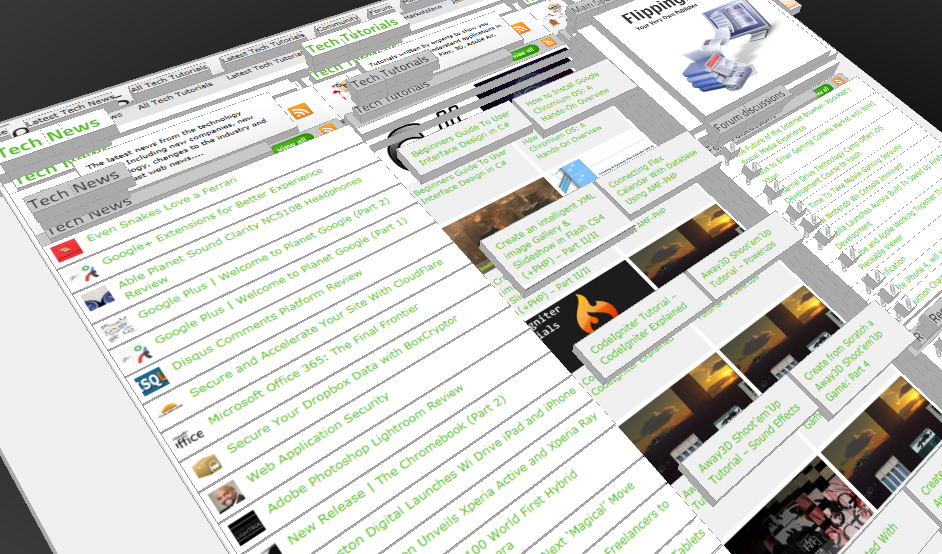
Visualize Your Web Page in 3D
Ever wondered if you could visualize your website in 3D? Well, here’s one such Firefox extension that allows you to do so. Tilt is a Firefox add-on that lets you visualize any web page DOM and provides the relationship between various parts of a website in 3D.
Interfaces / by - 1 March, 2011 2:18 pm
Beginners Guide To User Interface Design in C#
User Interface Design in C# Windows Form Application From Scratch In this C Sharp tutorial you will learn user interface design in C# application. This step-by-step tutorial will help you deeply understand…

Effects / by - 1 December, 2010 2:34 pm
Create an intelligent XML image Gallery & Slideshow in Flash CS4 (+PHP) – Part II/II
In this second part article you will learn how to build an image gallery that will load images from a web server. I decide to call it “Intelligent” because you don’t need to configure any XML or flash file. Just put the Flash movie and the images on a server and they will be loaded automatically. Nice ah?
Flex / by - 29 May, 2010 2:56 pm
Connecting Flex Calendar With Database Using AMF-PHP
Connecting Flex Calendar with Database using AMF-PHP Part I: Create a Dynamic Event Calendar in Flex Builder 3 with Actionscript 3.0 This is Part II of Create a Dynamic Event…
Server Side / by - 13 April, 2010 2:39 pm
CodeIgniter Tutorial – CodeIgniter Explained
Hello everyone, and welcome to the first CodeIgniter tutorial. What will you learn? 1. What is a PHP Framework? 2. What is CodeIgniter? 3. What is MVC? 4. MVC Pattern…
3D / by - 20 March, 2010 10:00 am
Away3D Shoot’em’Up Tutorial – Powerups
In this article we add some powerups to the game.

3D / by - 15 February, 2010 3:59 pm
Away3D Shoot’em’Up Tutorial – Sound Effects
In this article we add some sound effects to the game.
3D / by - 28 July, 2009 1:00 pm
Create from Scratch a Away3D Shoot’em’Up Game: Part 4
Now that we have the player and some enemies we need for them to be able to interact. This is done through collision detection which you will learn in this fourth part.
Effects / by - 21 July, 2009 1:00 pm
Getting Started With BetweenAS3
There are many popular open source tweening engines in the Flash community today. Numbered among these are Tweener, TweenLite/Tweenmax, Tweensy, and GTween. This is a short look at the capabilities of newcomer to the scene: BetweenAS3. BetweenAS3 is the tweening engine brainchild of Yoshihiro (yossy) Shindo and is available as part of the Spark project (i.e. it is brought to us by one of the same group that brought the world the FLARToolkit for Augmented Reality in Flash and countless other goodies).
3D / by - 15 July, 2009 12:50 pm
Create from Scratch a Away3D Shoot’em’Up Game: Part 3
After you have created the 3D level, in the part 3 of this Away3D series, we will show you how to add the player spacecraft and enemies.
Effects / by - 13 July, 2009 12:30 pm
Create an intelligent XML image Gallery & Slideshow in Flash CS4 (+PHP) – Part I/II
In this article you will learn how to build an image gallery that will load images from a web server. I decide to call it “Intelligent” because you don’t need to configure any XML or flash file. Just put the Flash movie and the images on a server and they will be loaded automatically. Nice ah?
3D / by - 8 July, 2009 1:45 pm
Create from Scratch a Away3D Shoot’em’Up Game: Part 2
In the part 1 of these tutorial series articles we created a framework that we could build off to start making the actual game. Now it’s time to create a 3D level for the player to fly through.
3D / by - 6 July, 2009 12:50 pm
Create from Scratch a Away3D Shoot’em’Up Game: Part 1
Today we start a 9 part tutorial series on creating a Shoot’em’Up game. We will cover all the necessary topics to create it from scratch, which will help you to understand and apply these guidelines to other projects. Ath this first part. we look at getting the Away3D engine up and running by creating a UIComponent that will contain and initialize the necessary Away3D components.
Effects / by - 1 July, 2009 1:00 pm
Build a Creative “Swirl Animated Menu” with Flash CS4
Flash it’s a powerful application and can be really complex, but even beginners can create a cool menu for demonstration or for use in a personal site. The menu that we will create is simple, but the swirl animation is something that you don’t see everywhere, for that I’ve decided to explain one way to make an animation of growing swirls without any Action Script code.You will also learn how to import artwork from illustrator where I’ve pre-made the graphics, the work is very simple and the result will be very cool.
Flash / by - 29 June, 2009 12:00 pm
SWFObject and Best Practice Implementation
With more and more full screen Flash web sites appearing on the internet, it’s important to understand how to properly embed the Flash movie in the browser window.
In this tutorial we will cover best practice embedding of SWF movies using SWFObject with a custom function for adding browser scrollbars for smaller browser windows.
3D / by - 24 June, 2009 12:30 pm
Create a 3D Bowling Game with JiglibFlash and Papervision 3D
Possibly the hottest thing to hit the Flash community since the advent of several excellent 3D engines is the recent debut of 3D physics engines. Here we’ll examine a way of using one of the more popular 3D engines, JiglibFlash, in conjunction with the prominent 3D engine Papervision3D to create a bowling game.
Flex / by - 22 June, 2009 1:00 pm
Create a Dynamic Event Calendar in Flex Builder 3 with Actionscript 3.0
This tutorial will allow readers to create an Event Calendar application using Flex. The final user will be able to plan over a daily, weekly or monthly plan.
You will learn on this step by step Flex tutorial, to create from scratch those Graphic User Interfaces, integrate them, and create a complete Rich Internet Application with a professional look.