How to build a Flash Actionscript 3.0 Videoplayer
by 30 July, 2008 11:21 pm196
Today we explain you how to create a videoplayer with some basic features like this one.
These are: – Play/Pause – Stop – Preloading – Scrubbing – Volume handling There will be another tutorial, which will extend this player. So be sure to check it out.
Requirements
Adobe Flash CS3
Source Files
Constants
As always, we begin with setting the constants. The BUFFER_TIME constant stores the time to buffer for the video in seconds. This one will later be assigned to the netstream object
const BUFFER_TIME:Number = 8;
DEFAULT_VOLUME holds the start volume when the player starts
const DEFAULT_VOLUME:Number = 0.6;
Our player has a timer, that updates all the visual parts. We store the update delay in milliseconds in a constant.
const DISPLAY_TIMER_UPDATE_DELAY:int = 10;
To make the video a bit smoother, we can the the Video.smoothing variable to true. This may slow down old computers. If you want to deactivate the smoothing on runtime, just open the html file in the zip file, right click on the video player and choose low for the quality. This way the smoothing will automatically be deactivated by the flash player.
const SMOOTHING:Boolean = true;
Variables
Let’s move on with the variables. We need to know, if the flv has been loaded when clicking the play button in order to load it or just play the video.
var bolLoaded:Boolean = false;
For the timer function we need to know, if we’re currently scrubbing the volume or the progress bar.
var bolVolumeScrub:Boolean	= false;
var bolProgressScrub:Boolean	 = false;
Our player has also a mute/unmute button. So, we need to store the last used volume. Like this when you click on unmute, the scrubber will jump back to it’s previous position as the volume does. This value is always greater than zero. We asign the value from DEFAULT_VOLUME.
var intLastVolume:Number = DEFAULT_VOLUME;
Then we need to have a net connection object for net stream and of course also a net stream object.
var ncConnection:NetConnection;
var nsStream:NetStream;
To store the received meta data from the flv file, we create an object
var objInfo:Object;
You can change your url to the flv file here. We just set it to the sample movie that’s in the same folder as the swf.
var strSource:String = "hancock-tsr2_h480p.flv";
And last of all, we create a timer object for updating the stuff from the player.
var tmrDisplay:Timer;
Functions
Now we need to initialize our player. First of all, we hide the unmute and pause button. Then we set the width of the progress and preload fill to 1.Our next step is adding a global eventlistener when the mouse button is released and adding event listeners to all buttons. Then we create ourtimer object for
updating all parts of the player and add the event listener. Next we create a new net connection, add the event listener and connect it to null because we don’t have a media server. The net stream object needs the net connection for initializing. Once we have our net stream object ready, we add the event listener, set the client property to this for handling the meta data and set buffer time to the value from the constant BUFFER_TIME. Then we attach the net stream to the video object on the stage and set the smoothing property to the value from the constant SMOOTHING. Last of all we set the default volume to the value from the constant DEFAULT_VOLUME. Note that only values from zero to one are allowed.
function initVideoPlayer():void {
	mcVideoControls.btnUnmute.visible	= false;
	mcVideoControls.btnPause.visible	= false;

	mcVideoControls.mcProgressFill.mcFillRed.width	= 1;
	mcVideoControls.mcProgressFill.mcFillGrey.width = 1;

	stage.addEventListener( MouseEvent.MOUSE_UP, mouseReleased);

	mcVideoControls.btnPause.addEventListener(MouseEvent.CLICK, pauseClicked);
	mcVideoControls.btnPlay.addEventListener(MouseEvent.CLICK, playClicked);
	mcVideoControls.btnStop.addEventListener(MouseEvent.CLICK, stopClicked);
	mcVideoControls.btnMute.addEventListener(MouseEvent.CLICK, muteClicked);
	mcVideoControls.btnUnmute.addEventListener(MouseEvent.CLICK, unmuteClicked);
	mcVideoControls.mcVolumeScrubber.btnVolumeScrubber.addEventListener(MouseEvent.MOUSE_DOWN, volumeScrubberClicked);
	mcVideoControls.mcProgressScrubber.btnProgressScrubber.addEventListener(MouseEvent.MOUSE_DOWN, progressScrubberClicked);

	tmrDisplay = new Timer(DISPLAY_TIMER_UPDATE_DELAY);
	tmrDisplay.addEventListener(TimerEvent.TIMER, updateDisplay);

	ncConnection = new NetConnection();
	ncConnection.addEventListener(NetStatusEvent.NET_STATUS, netStatusHandler);
	ncConnection.connect(null);

	nsStream = new NetStream(ncConnection);
	nsStream.addEventListener(NetStatusEvent.NET_STATUS, netStatusHandler);
	nsStream.client = this;
	nsStream.bufferTime = BUFFER_TIME;

	vidDisplay.attachNetStream(nsStream);
	vidDisplay.smoothing = SMOOTHING;

	mcVideoControls.mcVolumeScrubber.x		= (53 * DEFAULT_VOLUME) + 341;
	mcVideoControls.mcVolumeFill.mcFillRed.width	= mcVideoControls.mcVolumeScrubber.x - 394 + 53;
	setVolume(DEFAULT_VOLUME);
}
The most important part is now done. We’ve set all variables and added all event listeners. We’re now going to go through all button event listeners. When the user hit’s the play button, we need to check, if the flv download has already begun. If that’s the case, we resume the playback with the NetStream.resume() function. If not, we call the play() function and add the source to the flv file as the parameter.
Then we show the video display object that’s on the stage. And finally we switch the pause/play visibility.
function playClicked(e:MouseEvent):void {
	if(!bolLoaded) {
		nsStream.play(strSource);
		bolLoaded = true;
	} else {
		nsStream.resume();
	}

	vidDisplay.visible			= true;

	mcVideoControls.btnPause.visible	= true;
	mcVideoControls.btnPlay.visible		= false;
}
The pause button only calls the pause() function from the net stream object and switches the pause/play visibility.
function pauseClicked(e:MouseEvent):void {
	nsStream.pause();

	mcVideoControls.btnPause.visible	= false;
	mcVideoControls.btnPlay.visible		= true;
}
When the user click’s the play button, the stopVideoPlayer() function will be called. We’ll explain this function below.
function stopClicked(e:MouseEvent):void {
	stopVideoPlayer();
}
The mute button sets the volume to zero and updates the volume scrubber and fill position/width.
function muteClicked(e:MouseEvent):void {
	setVolume(0);

	mcVideoControls.mcVolumeScrubber.x		= 341;
	mcVideoControls.mcVolumeFill.mcFillRed.width	= 1;
}
The unmute button sets the volume to the last used volume and updates the volume scrubber and fill position/width.
function unmuteClicked(e:MouseEvent):void {
	setVolume(intLastVolume);

	mcVideoControls.mcVolumeScrubber.x		= (53 * intLastVolume) + 341;
	mcVideoControls.mcVolumeFill.mcFillRed.width	= mcVideoControls.mcVolumeScrubber.x - 394 + 53;
}
When the volume scrubber is clicked, the scrub flag will be set to true. Then we start dragging it withing the boundings that are described as a rectangle.
Exactly the same goes for the progress scrubber except that we’re setting another flag variable and bounding.
function volumeScrubberClicked(e:MouseEvent):void {
	bolVolumeScrub = true;

	mcVideoControls.mcVolumeScrubber.startDrag(false, new Rectangle(341, 19, 53, 0));
}

function progressScrubberClicked(e:MouseEvent):void {
	bolProgressScrub = true;

	mcVideoControls.mcProgressScrubber.startDrag(false, new Rectangle(0, 2, 432, 0));
}
Last of all, we have our mouseReleased() handler. This function is needed for knowing, when the user stops the scrubbing. First, we set the progress/volume scrub flag to false. Then we stop all dragging actions and update the width of the progress/volume fill. And if the volume is greater than zero, we store it in the variable intLastVolume.
function mouseReleased(e:MouseEvent):void {
	bolVolumeScrub		= false;
	bolProgressScrub	= false;

	mcVideoControls.mcProgressScrubber.stopDrag();
	mcVideoControls.mcVolumeScrubber.stopDrag();

	mcVideoControls.mcProgressFill.mcFillRed.width	= mcVideoControls.mcProgressScrubber.x + 5;
	mcVideoControls.mcVolumeFill.mcFillRed.width	= mcVideoControls.mcVolumeScrubber.x - 394 + 53;

	if((mcVideoControls.mcVolumeScrubber.x - 341) / 53 > 0)
		intLastVolume = (mcVideoControls.mcVolumeScrubber.x - 341) / 53;
}
The updateDisplay() function will be called by the timer object 100 times a second. If you want, you can decrease this value by increasing the value from the constant DISPLAY_TIMER_UPDATE_DELAY.
First of all, we check if the user is scrubbing on the progress bar. If that’s the case, we seek in the video. If not, we just update the position of the scrubber according to the current time.
Then we set the time and duration label. We format the values with the function formatTime() which we explain later.
Now we update the width from the progress bar. The grey one displays the loading progress while the red one shows the progress from the video.
Last of all we update the volume and the red fill width when the user is scrubbing.
function updateDisplay(e:TimerEvent):void {
	if(bolProgressScrub)
		nsStream.seek(Math.round(mcVideoControls.mcProgressScrubber.x * objInfo.duration / 432))
	else
		mcVideoControls.mcProgressScrubber.x = nsStream.time * 432 / objInfo.duration;

	mcVideoControls.lblTimeDuration.htmlText 	= "" + formatTime(nsStream.time) + " / " + formatTime(objInfo.duration);

	mcVideoControls.mcProgressFill.mcFillRed.width	= mcVideoControls.mcProgressScrubber.x + 5;
	mcVideoControls.mcProgressFill.mcFillGrey.width	= nsStream.bytesLoaded * 438 / nsStream.bytesTotal;

	if(bolVolumeScrub) {
		setVolume((mcVideoControls.mcVolumeScrubber.x - 341) / 53);
		mcVideoControls.mcVolumeFill.mcFillRed.width = mcVideoControls.mcVolumeScrubber.x - 394 + 53;
	}
}
The onMetaDataFunction will be called as soon as the net stream object gets the meta stuff from the flv file. We store these informations in a object. Now can start the timer object because we have all the necessary data.
function onMetaData(info:Object):void {
	objInfo = info;

	tmrDisplay.start();
}
Once a net status event will be fired, the netStatusHandler() function will be called. The event holds the info code of the event type. We only need to handle NetStream.Play.StreamNotFound in case the stream is not found and NetStream.Play.Stop to know, when the video reached its end to stop the player with the stopVideoPlayer() function.
function netStatusHandler(event:NetStatusEvent):void {
	switch (event.info.code) {
		case "NetStream.Play.StreamNotFound":
			trace("Stream not found: " + strSource);
		break;
		case "NetStream.Play.Stop":
			stopVideoPlayer();
		break;
	}
}
There are 2 ways to stop the playback: One is clicking the stop button, the other is reaching the end of the video. That’s the reason why we’ve put this in a function. First we pause the netstream and set the playback position to zero. In order to clear the display where the last frame of the video will be shown we need to set the visibility to false. We can’t use the Video.clear() function since it has a bug. But this one has already been reported to adobe. This workaround works fine. Finlay we switch the play/button visibility.
function stopVideoPlayer():void {
	nsStream.pause();
	nsStream.seek(0);

	vidDisplay.visible			= false;

	mcVideoControls.btnPause.visible	= false;
	mcVideoControls.btnPlay.visible		= true;
}
To set the volume of the video we use the setVolume() function. First we create a soundtransform object with the value from the parameter. Then we assign this object to nsStream.soundTransform. And we hide or show the mute and unmute according to the volume. If it’s greater than zero, we show the mute button and vice versa.
function setVolume(intVolume:Number = 0):void {
	var sndTransform	= new SoundTransform(intVolume);
	nsStream.soundTransform	= sndTransform;

	if(intVolume > 0) {
		mcVideoControls.btnMute.visible		= true;
		mcVideoControls.btnUnmute.visible	= false;
	} else {
		mcVideoControls.btnMute.visible		= false;
		mcVideoControls.btnUnmute.visible	= true;
	}
}
The last function formatTime() is used to format the seconds to the format mm:ss.
function formatTime(t:int):String {
	var s:int = Math.round(t);
	var m:int = 0;
	if (s > 0) {
		while (s > 59) {
			m++;
			s -= 60;
		}
		return String((m < 10 ? "0" : "") + m + ":" + (s < 10 ? "0" : "") + s);
	} else {
		return "00:00";
	}
}
Call init function
The only thing left to do is calling the init function for the player.
initVideoPlayer();
We hope you liked this tutorial. If you have any question don’t hesitate to ask. Also we’ve already mentioned be sure to check back for the next part that will be coming soon.
Full code with comments
// ##########################
// ############# CONSTANTS
// ##########################

// time to buffer for the video in sec.
const BUFFER_TIME:Number				= 8;
// start volume when initializing player
const DEFAULT_VOLUME:Number				= 0.6;
// update delay in milliseconds.
const DISPLAY_TIMER_UPDATE_DELAY:int	= 10;
// smoothing for video. may slow down old computers
const SMOOTHING:Boolean					= true;

// ##########################
// ############# VARIABLES
// ##########################

// flag for knowing if flv has been loaded
var bolLoaded:Boolean					= false;
// flag for volume scrubbing
var bolVolumeScrub:Boolean				= false;
// flag for progress scrubbing
var bolProgressScrub:Boolean			= false;
// holds the last used volume, but never 0
var intLastVolume:Number				= DEFAULT_VOLUME;
// net connection object for net stream
var ncConnection:NetConnection;
// net stream object
var nsStream:NetStream;
// object holds all meta data
var objInfo:Object;
// url to flv file
var strSource:String					= "hancock-tsr2_h480p.flv";
// timer for updating player (progress, volume...)
var tmrDisplay:Timer;

// ##########################
// ############# FUNCTIONS
// ##########################

// sets up the player
function initVideoPlayer():void {
	// hide buttons
	mcVideoControls.btnUnmute.visible	= false;
	mcVideoControls.btnPause.visible	= false;

	// set the progress/preload fill width to 1
	mcVideoControls.mcProgressFill.mcFillRed.width = 1;
	mcVideoControls.mcProgressFill.mcFillGrey.width = 1;

	// add global event listener when mouse is released
	stage.addEventListener( MouseEvent.MOUSE_UP, mouseReleased);

	// add event listeners to all buttons
	mcVideoControls.btnPause.addEventListener(MouseEvent.CLICK, pauseClicked);
	mcVideoControls.btnPlay.addEventListener(MouseEvent.CLICK, playClicked);
	mcVideoControls.btnStop.addEventListener(MouseEvent.CLICK, stopClicked);
	mcVideoControls.btnMute.addEventListener(MouseEvent.CLICK, muteClicked);
	mcVideoControls.btnUnmute.addEventListener(MouseEvent.CLICK, unmuteClicked);
	mcVideoControls.mcVolumeScrubber.btnVolumeScrubber.addEventListener(MouseEvent.MOUSE_DOWN, volumeScrubberClicked);
	mcVideoControls.mcProgressScrubber.btnProgressScrubber.addEventListener(MouseEvent.MOUSE_DOWN, progressScrubberClicked);

	// create timer for updating all visual parts of player and add
	// event listener
	tmrDisplay = new Timer(DISPLAY_TIMER_UPDATE_DELAY);
	tmrDisplay.addEventListener(TimerEvent.TIMER, updateDisplay);

	// create a new net connection, add event listener and connect
	// to null because we don't have a media server
	ncConnection = new NetConnection();
	ncConnection.addEventListener(NetStatusEvent.NET_STATUS, netStatusHandler);
	ncConnection.connect(null);

	// create a new netstream with the net connection, add event
	// listener, set client to this for handling meta data and
	// set the buffer time to the value from the constant
	nsStream = new NetStream(ncConnection);
	nsStream.addEventListener(NetStatusEvent.NET_STATUS, netStatusHandler);
	nsStream.client = this;
	nsStream.bufferTime = BUFFER_TIME;

	// attach net stream to video object on the stage
	vidDisplay.attachNetStream(nsStream);
	// set the smoothing value from the constant
	vidDisplay.smoothing = SMOOTHING;

	// set default volume
	mcVideoControls.mcVolumeScrubber.x = (52 * DEFAULT_VOLUME) + 341;
	mcVideoControls.mcVolumeFill.mcFillRed.width = mcVideoControls.mcVolumeScrubber.x - 394 + 52;
	setVolume(DEFAULT_VOLUME);
}

function playClicked(e:MouseEvent):void {
	// check's, if the flv has already begun
	// to download. if so, resume playback, else
	// load the file
	if(!bolLoaded) {
		nsStream.play(strSource);
		bolLoaded = true;
	}
	else{
		nsStream.resume();
	}

	// show video display
	vidDisplay.visible					= true;

	// switch play/pause visibility
	mcVideoControls.btnPause.visible	= true;
	mcVideoControls.btnPlay.visible		= false;
}

function pauseClicked(e:MouseEvent):void {
	// pause video
	nsStream.pause();

	// switch play/pause visibility
	mcVideoControls.btnPause.visible	= false;
	mcVideoControls.btnPlay.visible		= true;
}

function stopClicked(e:MouseEvent):void {
	// calls stop function
	stopVideoPlayer();
}

function muteClicked(e:MouseEvent):void {
	// set volume to 0
	setVolume(0);

	// update scrubber and fill position/width
	mcVideoControls.mcVolumeScrubber.x				= 341;
	mcVideoControls.mcVolumeFill.mcFillRed.width	= 1;
}

function unmuteClicked(e:MouseEvent):void {
	// set volume to last used value
	setVolume(intLastVolume);

	// update scrubber and fill position/width
	mcVideoControls.mcVolumeScrubber.x = (53 * intLastVolume) + 341;
	mcVideoControls.mcVolumeFill.mcFillRed.width = mcVideoControls.mcVolumeScrubber.x - 394 + 53;
}

function volumeScrubberClicked(e:MouseEvent):void {
	// set volume scrub flag to true
	bolVolumeScrub = true;

	// start drag
	mcVideoControls.mcVolumeScrubber.startDrag(false, new Rectangle(341, 19, 53, 0));
}

function progressScrubberClicked(e:MouseEvent):void {
	// set progress scrub flag to true
	bolProgressScrub = true;

	// start drag
	mcVideoControls.mcProgressScrubber.startDrag(false, new Rectangle(0, 2, 432, 0));
}

function mouseReleased(e:MouseEvent):void {
	// set progress/volume scrub to false
	bolVolumeScrub		= false;
	bolProgressScrub	= false;

	// stop all dragging actions
	mcVideoControls.mcProgressScrubber.stopDrag();
	mcVideoControls.mcVolumeScrubber.stopDrag();

	// update progress/volume fill
	mcVideoControls.mcProgressFill.mcFillRed.width	= mcVideoControls.mcProgressScrubber.x + 5;
	mcVideoControls.mcVolumeFill.mcFillRed.width	= mcVideoControls.mcVolumeScrubber.x - 394 + 53;

	// save the volume if it's greater than zero
	if((mcVideoControls.mcVolumeScrubber.x - 341) / 53 > 0)
		intLastVolume = (mcVideoControls.mcVolumeScrubber.x - 341) / 53;
}

function updateDisplay(e:TimerEvent):void {
	// checks, if user is scrubbing. if so, seek in the video
	// if not, just update the position of the scrubber according
	// to the current time
	if(bolProgressScrub)
		nsStream.seek(Math.round(mcVideoControls.mcProgressScrubber.x * objInfo.duration / 432))
	else
		mcVideoControls.mcProgressScrubber.x = nsStream.time * 432 / objInfo.duration;

	// set time and duration label
	mcVideoControls.lblTimeDuration.htmlText		= "" + formatTime(nsStream.time) + " / " + formatTime(objInfo.duration);

	// update the width from the progress bar. the grey one displays
	// the loading progress
	mcVideoControls.mcProgressFill.mcFillRed.width	= mcVideoControls.mcProgressScrubber.x + 5;
	mcVideoControls.mcProgressFill.mcFillGrey.width	= nsStream.bytesLoaded * 438 / nsStream.bytesTotal;

	// update volume and the red fill width when user is scrubbing
	if(bolVolumeScrub) {
		setVolume((mcVideoControls.mcVolumeScrubber.x - 341) / 53);
		mcVideoControls.mcVolumeFill.mcFillRed.width = mcVideoControls.mcVolumeScrubber.x - 394 + 53;
	}
}

function onMetaData(info:Object):void {
	// stores meta data in a object
	objInfo = info;

	// now we can start the timer because
	// we have all the neccesary data
	tmrDisplay.start();
}

function netStatusHandler(event:NetStatusEvent):void {
	// handles net status events
	switch (event.info.code) {
		// trace a messeage when the stream is not found
		case "NetStream.Play.StreamNotFound":
			trace("Stream not found: " + strSource);
		break;

		// when the video reaches its end, we stop the player
		case "NetStream.Play.Stop":
			stopVideoPlayer();
		break;
	}
}

function stopVideoPlayer():void {
	// pause netstream, set time position to zero
	nsStream.pause();
	nsStream.seek(0);

	// in order to clear the display, we need to
	// set the visibility to false since the clear
	// function has a bug
	vidDisplay.visible			= false;

	// switch play/pause button visibility
	mcVideoControls.btnPause.visible	= false;
	mcVideoControls.btnPlay.visible		= true;
}

function setVolume(intVolume:Number = 0):void {
	// create soundtransform object with the volume from
	// the parameter
	var sndTransform	= new SoundTransform(intVolume);
	// assign object to netstream sound transform object
	nsStream.soundTransform	= sndTransform;
	// hides/shows mute and unmute button according to the
	// volume
	if(intVolume > 0) {
		mcVideoControls.btnMute.visible		= true;
		mcVideoControls.btnUnmute.visible	= false;
	} else {
		mcVideoControls.btnMute.visible		= false;
		mcVideoControls.btnUnmute.visible	= true;
	}
}

function formatTime(t:int):String {
	// returns the minutes and seconds with leading zeros
	// for example: 70 returns 01:10
	var s:int = Math.round(t);
	var m:int = 0;
	if (s > 0) {
		while (s > 59) {
			m++;
			s -= 60;
		}
		return String((m < 10 ? "0" : "") + m + ":" + (s < 10 ? "0" : "") + s);
	} else {
		return "00:00";
	}
}

// ##########################
// ############# INIT PLAYER
// ##########################
initVideoPlayer();Related posts

Effects / by - 14 January, 2012 5:55 pm
Learn Digital Painting in Photoshop
It’s impossible for everyone to become an artist, but many of them have a will to become an artist, to draw beautiful paintings but again due to lack of command…

Effects / by - 28 December, 2011 2:28 pm
How to Make a New Year Greeting Card in Photoshop
This is so much easy to go in a market and by paying some bucks; purchasing a New Year Greeting Card or any other festival card for your loving person…

Flash / by - 10 August, 2011 4:13 pm
Creating a Gallery in Flash Using the Moto CMS Component
In this tutorial we will create a gallery with the help of the Moto CMS Component. I think many of you have heard about (or even worked with) Moto Flash…
3D / by - 24 July, 2011 5:21 pm
Visualize Your Web Page in 3D
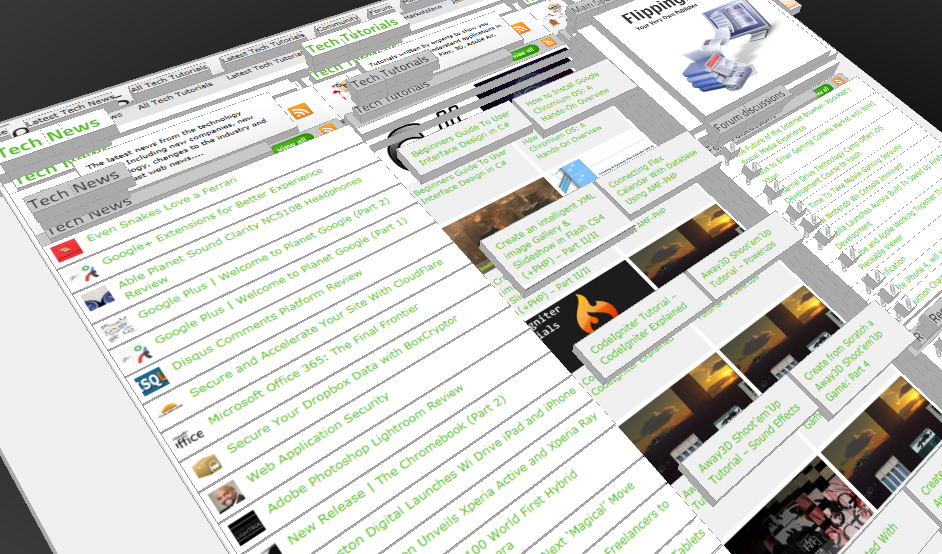
Ever wondered if you could visualize your website in 3D? Well, here’s one such Firefox extension that allows you to do so. Tilt is a Firefox add-on that lets you visualize any web page DOM and provides the relationship between various parts of a website in 3D.
Interfaces / by - 1 March, 2011 2:18 pm
Beginners Guide To User Interface Design in C#
User Interface Design in C# Windows Form Application From Scratch In this C Sharp tutorial you will learn user interface design in C# application. This step-by-step tutorial will help you deeply understand…

Effects / by - 1 December, 2010 2:34 pm
Create an intelligent XML image Gallery & Slideshow in Flash CS4 (+PHP) – Part II/II
In this second part article you will learn how to build an image gallery that will load images from a web server. I decide to call it “Intelligent” because you don’t need to configure any XML or flash file. Just put the Flash movie and the images on a server and they will be loaded automatically. Nice ah?
Flex / by - 29 May, 2010 2:56 pm
Connecting Flex Calendar With Database Using AMF-PHP
Connecting Flex Calendar with Database using AMF-PHP Part I: Create a Dynamic Event Calendar in Flex Builder 3 with Actionscript 3.0 This is Part II of Create a Dynamic Event…
Server Side / by - 13 April, 2010 2:39 pm
CodeIgniter Tutorial – CodeIgniter Explained
Hello everyone, and welcome to the first CodeIgniter tutorial. What will you learn? 1. What is a PHP Framework? 2. What is CodeIgniter? 3. What is MVC? 4. MVC Pattern…
3D / by - 20 March, 2010 10:00 am
Away3D Shoot’em’Up Tutorial – Powerups
In this article we add some powerups to the game.

3D / by - 15 February, 2010 3:59 pm
Away3D Shoot’em’Up Tutorial – Sound Effects
In this article we add some sound effects to the game.
3D / by - 28 July, 2009 1:00 pm
Create from Scratch a Away3D Shoot’em’Up Game: Part 4
Now that we have the player and some enemies we need for them to be able to interact. This is done through collision detection which you will learn in this fourth part.
Effects / by - 21 July, 2009 1:00 pm
Getting Started With BetweenAS3
There are many popular open source tweening engines in the Flash community today. Numbered among these are Tweener, TweenLite/Tweenmax, Tweensy, and GTween. This is a short look at the capabilities of newcomer to the scene: BetweenAS3. BetweenAS3 is the tweening engine brainchild of Yoshihiro (yossy) Shindo and is available as part of the Spark project (i.e. it is brought to us by one of the same group that brought the world the FLARToolkit for Augmented Reality in Flash and countless other goodies).
3D / by - 15 July, 2009 12:50 pm
Create from Scratch a Away3D Shoot’em’Up Game: Part 3
After you have created the 3D level, in the part 3 of this Away3D series, we will show you how to add the player spacecraft and enemies.
Effects / by - 13 July, 2009 12:30 pm
Create an intelligent XML image Gallery & Slideshow in Flash CS4 (+PHP) – Part I/II
In this article you will learn how to build an image gallery that will load images from a web server. I decide to call it “Intelligent” because you don’t need to configure any XML or flash file. Just put the Flash movie and the images on a server and they will be loaded automatically. Nice ah?
3D / by - 8 July, 2009 1:45 pm
Create from Scratch a Away3D Shoot’em’Up Game: Part 2
In the part 1 of these tutorial series articles we created a framework that we could build off to start making the actual game. Now it’s time to create a 3D level for the player to fly through.
3D / by - 6 July, 2009 12:50 pm
Create from Scratch a Away3D Shoot’em’Up Game: Part 1
Today we start a 9 part tutorial series on creating a Shoot’em’Up game. We will cover all the necessary topics to create it from scratch, which will help you to understand and apply these guidelines to other projects. Ath this first part. we look at getting the Away3D engine up and running by creating a UIComponent that will contain and initialize the necessary Away3D components.
Effects / by - 1 July, 2009 1:00 pm
Build a Creative “Swirl Animated Menu” with Flash CS4
Flash it’s a powerful application and can be really complex, but even beginners can create a cool menu for demonstration or for use in a personal site. The menu that we will create is simple, but the swirl animation is something that you don’t see everywhere, for that I’ve decided to explain one way to make an animation of growing swirls without any Action Script code.You will also learn how to import artwork from illustrator where I’ve pre-made the graphics, the work is very simple and the result will be very cool.
Flash / by - 29 June, 2009 12:00 pm
SWFObject and Best Practice Implementation
With more and more full screen Flash web sites appearing on the internet, it’s important to understand how to properly embed the Flash movie in the browser window.
In this tutorial we will cover best practice embedding of SWF movies using SWFObject with a custom function for adding browser scrollbars for smaller browser windows.
3D / by - 24 June, 2009 12:30 pm
Create a 3D Bowling Game with JiglibFlash and Papervision 3D
Possibly the hottest thing to hit the Flash community since the advent of several excellent 3D engines is the recent debut of 3D physics engines. Here we’ll examine a way of using one of the more popular 3D engines, JiglibFlash, in conjunction with the prominent 3D engine Papervision3D to create a bowling game.
Flex / by - 22 June, 2009 1:00 pm
Create a Dynamic Event Calendar in Flex Builder 3 with Actionscript 3.0
This tutorial will allow readers to create an Event Calendar application using Flex. The final user will be able to plan over a daily, weekly or monthly plan.
You will learn on this step by step Flex tutorial, to create from scratch those Graphic User Interfaces, integrate them, and create a complete Rich Internet Application with a professional look.